Bullish - A simple Vue webapp to explore Bhav Copy Data
https://bullish.codingcoffee.me
|
|
||
|---|---|---|
| .assets/images | ||
| backend | ||
| frontend | ||
| k8s | ||
| dev.env | ||
| docker-compose.yml | ||
| LICENSE.txt | ||
| prod-build.sh | ||
| prod-deploy.sh | ||
| README.md | ||
| TODO.org | ||




Backend:


Frontend


Usage
- Local setup is supported via Docker Compose
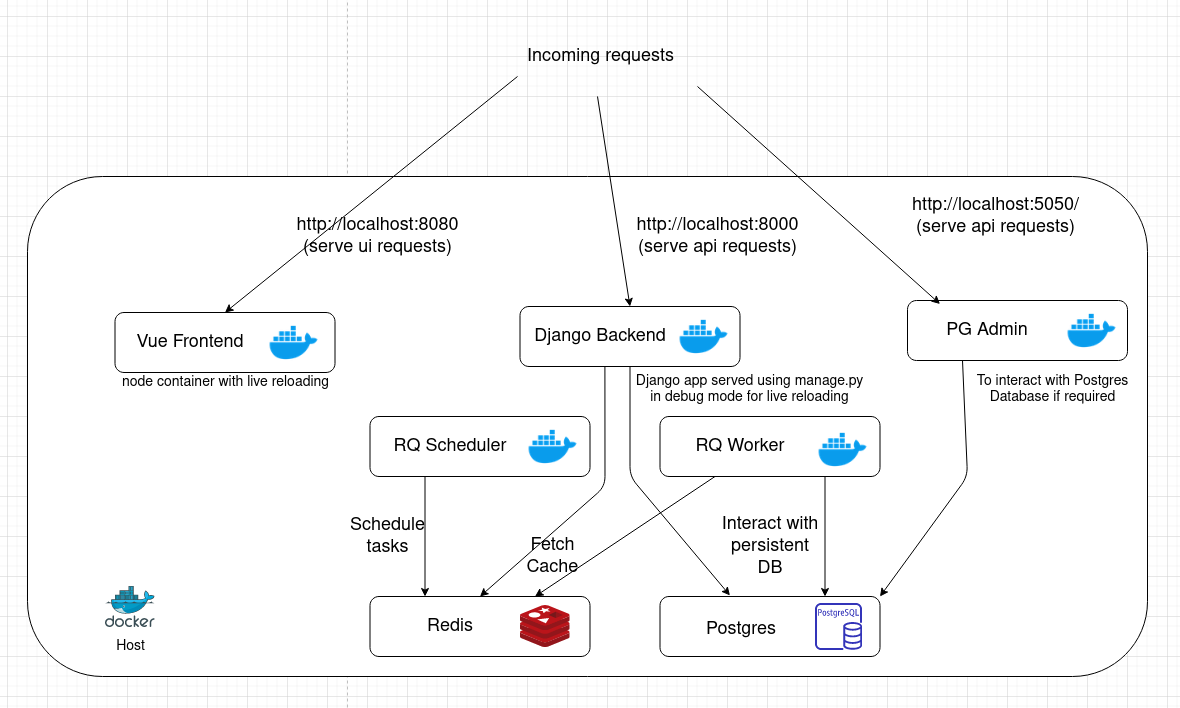
docker-compose up -d
Build
- Build images for dev
docker-compose build
- Build images for prod
./prod-build.sh
Logging
To get the logs of all containers
docker logs -f
To get the logs of a particular container
docker logs -f container-name
Here container-name can be either of backend, frontend, redis,
postgresql, rqworker or rqscheduler.
Deploy
The recommended way for deploy is on Kubernetes. You can find the related files
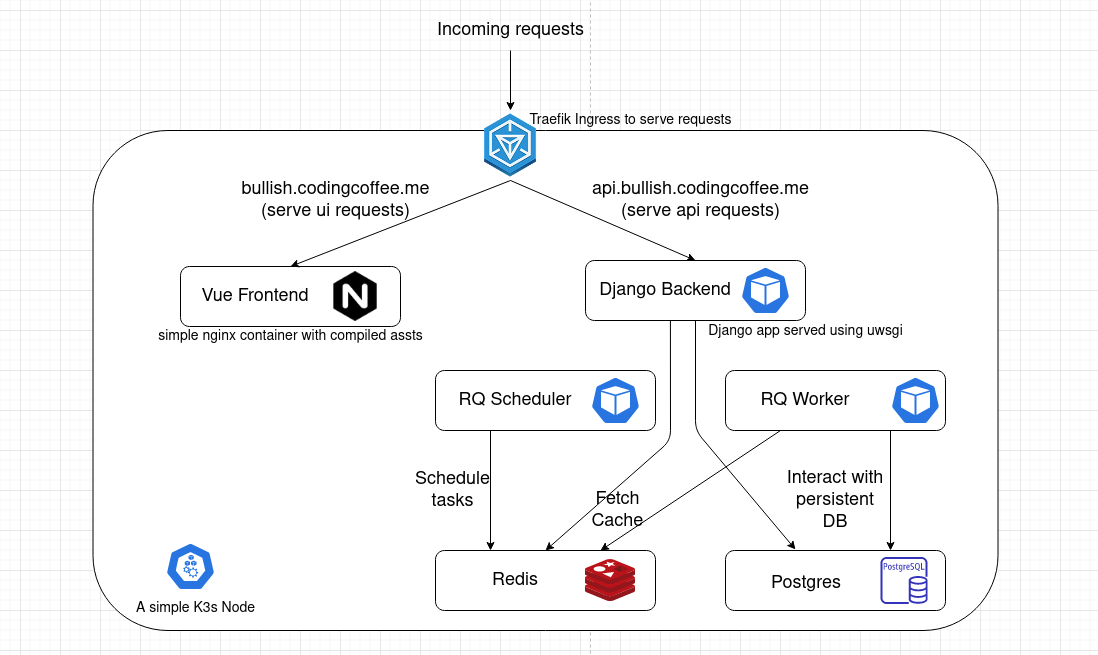
in k8s directory.
- One time deploy
# Deploy ingress
kubectl apply -f k8s/ingress/ingress-https.yaml

# Deploy Postgres and Redis DB
kubectl apply -f k8s/app/redis.yaml
kubectl apply -f k8s/app/postgres.yaml

# Deploy Backend
kubectl apply -f k8s/app/backend.yaml
kubectl apply -f k8s/app/rqworker.yaml
kubectl apply -f k8s/app/rqscheduler.yaml

# Deploy Frontend
kubectl apply -f k8s/app/frontend.yaml
- Subsequent deploys can be done by rolloing out a restart since all pods have a
imagePullPolicyset to Always
# Push containers to Docker Hub and Deploy to K8s
./prod-deploy.sh
Contribution
Have better suggestions to optimize the image? Found some typos? Go ahead and send in a Pull Request! Contributions of any kind welcome!
License
The code in this repository has been released under the GNU Affero General Public License v3
Attributions
- Bullish icon made by Freepik from Flaticon
